BLACK FRIDAY SPECIAL: Buy 1 Year & We’ll Add 3 Months FREE! (15 Months of 4K Streaming)
How to Set Up IPTV Smarters Pro on Your Device: A Step-by-Step Tutorial

How to Set Up IPTV Smarters Pro on Your Device: A Step-by-Step Tutorial for Seamless Streaming

**IPTV Smarters Pro** is arguably the most popular and versatile IPTV player application worldwide. It allows you to stream live TV, movies, and on-demand content from your premium provider (like Storuno IPTV) on a vast array of devices. With native support for platforms like Android, iOS, Windows, macOS, and smart TVs, it offers an exceptional, multi-platform streaming experience.

This comprehensive, step-by-step guide will walk you through the process of installing and configuring IPTV Smarters Pro on your preferred device, troubleshoot common issues, and provide essential tips for optimizing your streaming quality to guarantee a smooth, buffer-free viewing experience.

1. How to Install IPTV Smarters Pro on All Major Platforms

The installation process varies slightly by device, but the goal remains the same: securely install the app and enter your service credentials.

Installation on Android (Phones, Tablets, Android TV Boxes)

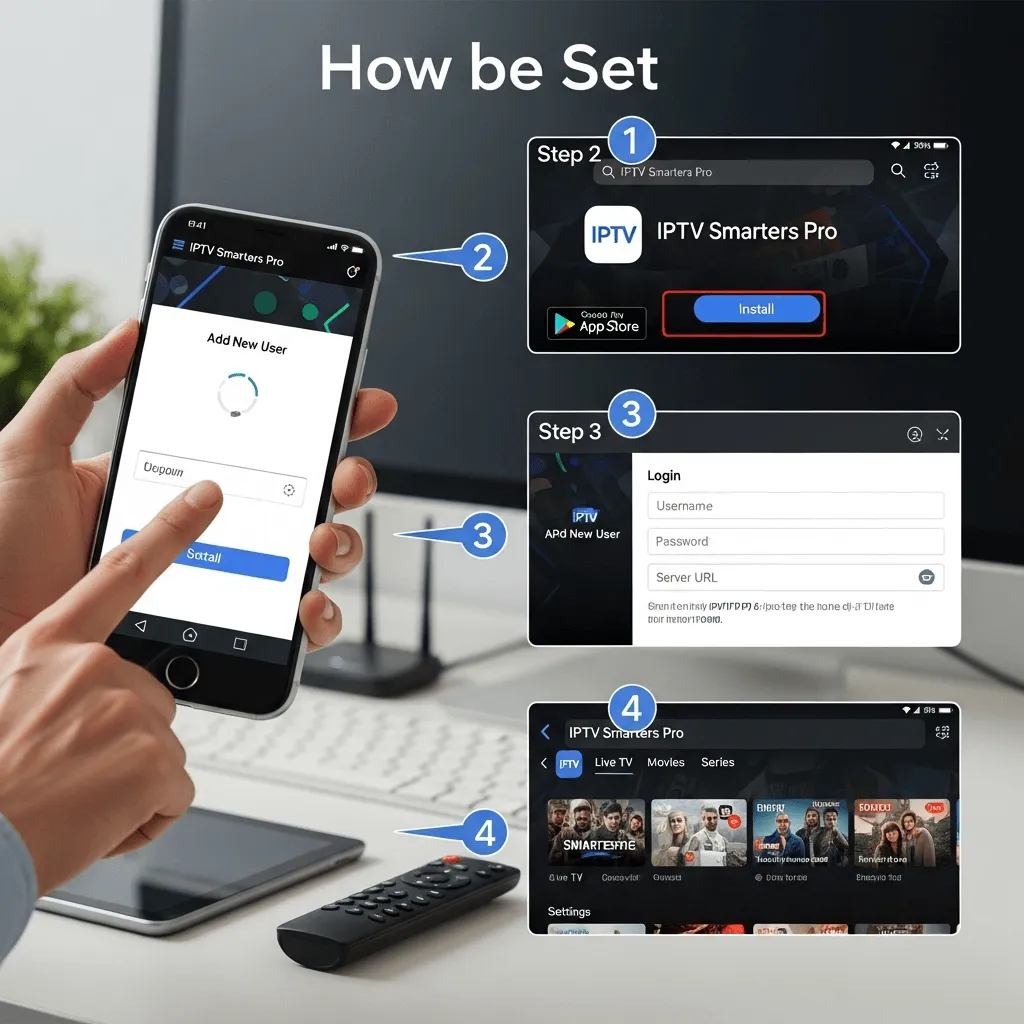
  1. Open the **Google Play Store** on your Android device.
  2. Search for **IPTV Smarters Pro** in the search bar.
  3. Tap on the **Install** button and wait for the app to download.
  4. (For Firestick, this process requires **sideloading** via the Downloader app.)

**Note for Firestick Users:** You must use the "sideloading" method via the Downloader App. Find the exact steps here: Install IPTV on Firestick 2025 Guide: 4K Anti-Freeze Setup.

Installation on iOS (iPhone, iPad)

  1. Open the **App Store** on your iOS device.
  2. Search for **IPTV Smarters Pro** and tap the **Get** button.
  3. Authenticate the download with your Apple ID or Face ID.

Installation on Windows and macOS

  1. Visit the official IPTV Smarters Pro website to download the correct Windows (.exe) or macOS (.dmg) installation file.
  2. Locate the file and double-click to follow the on-screen prompts for installation.

2. The Crucial Step: Logging In with Your IPTV Service Credentials

Once the app is installed, you must connect it to your IPTV service provider. We highly recommend using the **Xtream Codes API** method for its superior stability and EPG functionality.

Step-by-Step Login Process (Xtream Codes API)

  1. Launch the **IPTV Smarters Pro** app.
  2. Select **Add User** and choose the option: **Login with Xtream Codes API** (this is the most stable and recommended method).
  3. Enter the three key pieces of information provided by your service (e.g., Storuno IPTV):
    • Any Name: (e.g., Storuno Live)
    • Username: (Provided in your welcome email)
    • Password: (Provided in your welcome email)
    • Portal URL: (The server address, e.g., http://portal.storuno.shop:8080)
  4. Click **Add User**. The app will now download all your channels, VOD content, and the EPG.
  5. Start streaming your favorite live TV channels, movies, and series!

To unlock features like Multi-Screen Viewing or External Player integration, read our detailed feature guide: A Comprehensive Guide to IPTV Smarters Pro Features.

3. Troubleshooting and Optimizing for 4K Streaming

To ensure you get the best streaming experience�especially for demanding 4K content�follow these optimization tips:

Optimization Tips for Anti-Freeze Playback

  • Use a Wired Connection: For stable, buffer-free 4K streaming, use an Ethernet cable to connect your device directly to your router. Wi-Fi can introduce packet loss.
  • Clear Cache: Regularly clear the cache within the IPTV Smarters Pro app to free up device RAM and prevent slowdowns (Settings ? General Settings ? Clear Cache).
  • Stable Internet Connection: Aim for at least 50 Mbps stable download speed for 4K streaming. Check your speed and latency (ping).
  • Use a VPN: If you experience buffering, a quality VPN can help bypass ISP throttling (common in the USA and Canada) and improve stream stability.

Common Troubleshooting Issues

  • Login Issues: Double-check that the **Portal URL** (server address) is entered exactly as provided, including "http://" or "https://".
  • Playback Problems: If you experience persistent buffering, check your internet speed first. If speed is sufficient, your provider's server may be overloaded (which is why a service like Storuno with anti-freeze tech is crucial).

Conclusion

Installing and configuring IPTV Smarters Pro on your preferred device is a simple process that unlocks a world of content. By following this guide and implementing the optimization tips, you're set to enjoy seamless, high-quality streaming on your preferred device.

Need Credentials to Power Your New App?

Start your seamless streaming experience with a reliable Storuno IPTV subscription.

View Storuno IPTV Upgrade and Pricing Plans ?